FlowStack v2.0 is here, redesigned to improve the experience

FlowStack 2.0 is the biggest update since the app launched. Every screen has been redesigned. Not because the core idea changed — one task, one timer, no clutter — but because that idea deserved to be clearer, faster, and more useful the moment you open the app.
Here's what's new, and why it matters.
A complete rebuild, same core flow
Version 2.0 is a ground-up redesign. Every screen has been rethought. The session model is unchanged — you stack time-based tasks, press start, and FlowStack takes you through them one at a time. What changed is everything around that: the navigation, the templates, the stats, and a handful of features that make the day-to-day experience noticeably smoother.
This started because new users were opening the app and not quite getting it. The core was there. The path to it wasn't obvious enough. So we started over.
See exactly how long each task took
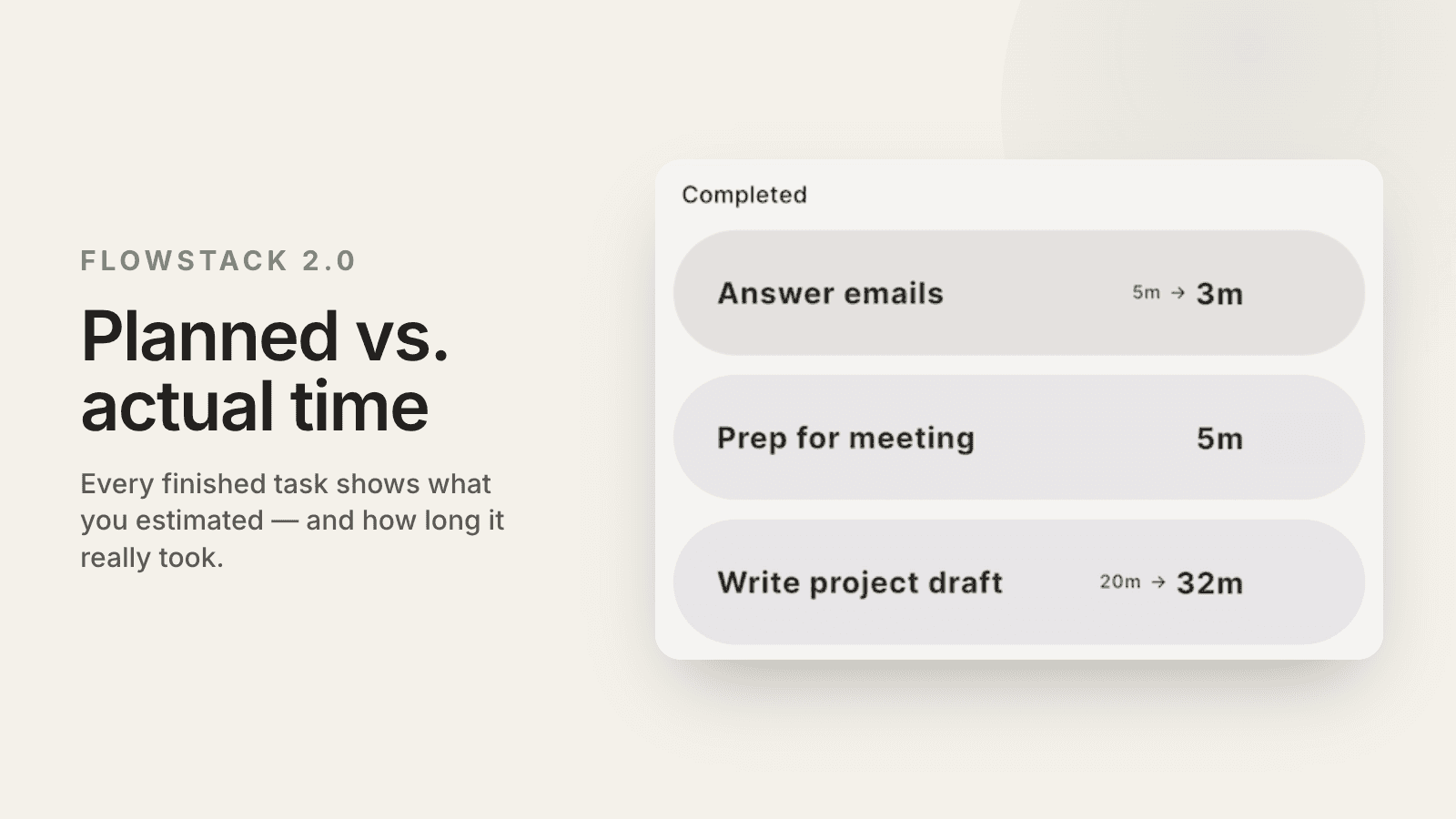
During a session, FlowStack now tracks how long you actually spend on each task, even though you spend less time than you estimated. During the session you can see how long the completed tasks actually took. Once you finish the session, you can see the real time per task alongside the estimated time.
This matters more than it sounds. In FlowStack, the timer is a tool, not a rule. You only estimate the time it takes to complete the task. If you’re done before the time runs out, great! If you need more time, you can add more time, in increments like 5 min (or whatever you set it to). If you enter Flow State and want to spend a lot more time on a task because you’re flowing of motivation and momentum, you can turn the countdown timer to a stopwatch, meaning it counts up for how long you’ve actually spent on the task.
With this new feature, at the end of the session you know see how long you planned vs how long it actually took.
A progress bar that stays visible
A progress bar now stays on screen throughout your entire session. At a glance, you can see where you are in the session — how much you've done, how much is left.
Small thing. Surprisingly motivating. There's something about being able to see your progress that makes you want to keep going.

Multi-select tasks
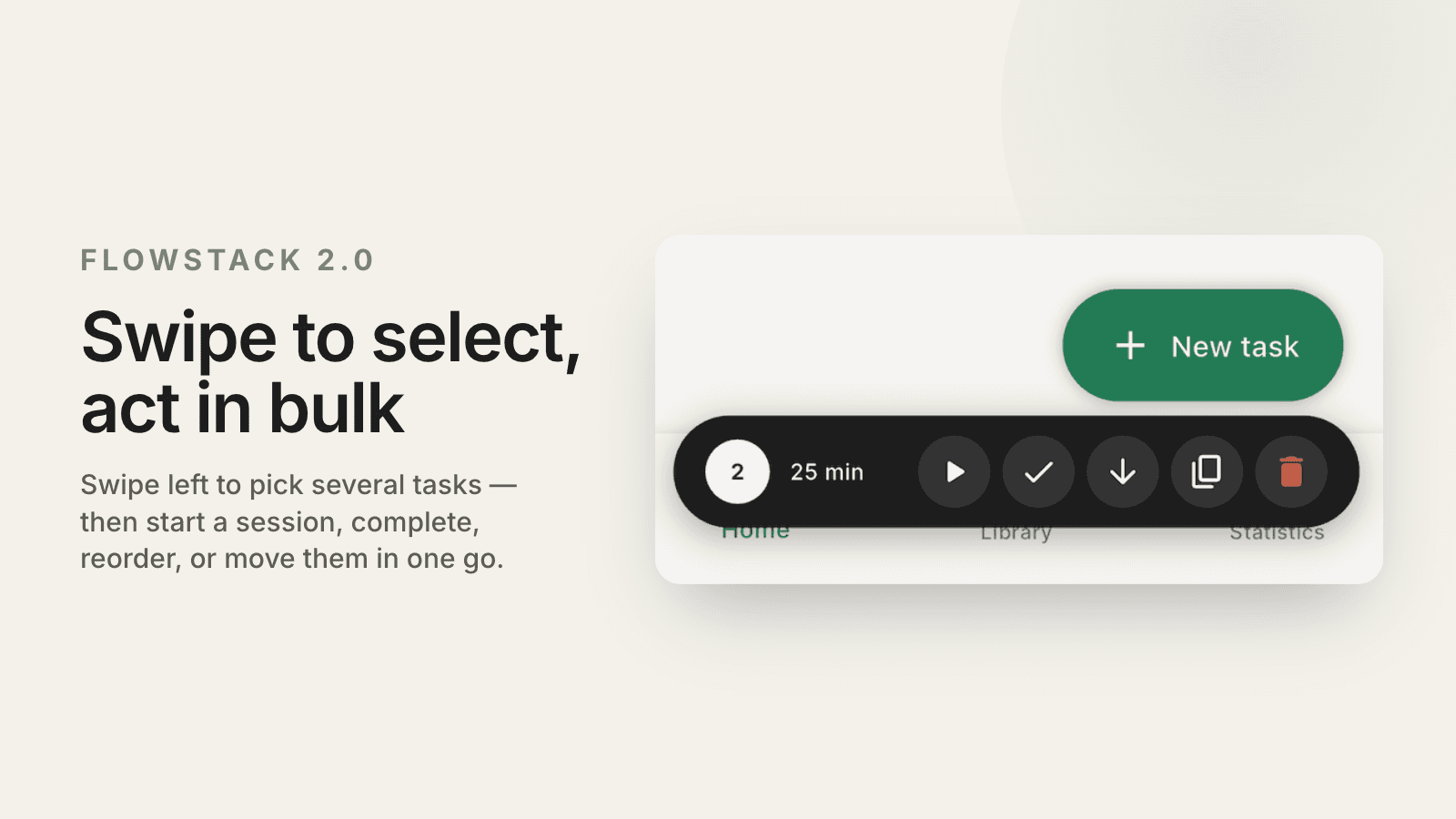
Swipe left on any task to enter multi-select mode. From there, you can swipe select more tasks and act on them in bulk — delete, reorder, complete, start a session or move to ‘do later’ depending on where the selected tasks are.
This is especially convenient when you want to start a new session with only some of the tasks lined up, not all. Swiping right completes a task, just like it did before version 2.0. This addition was requeted by users.
A new template gallery
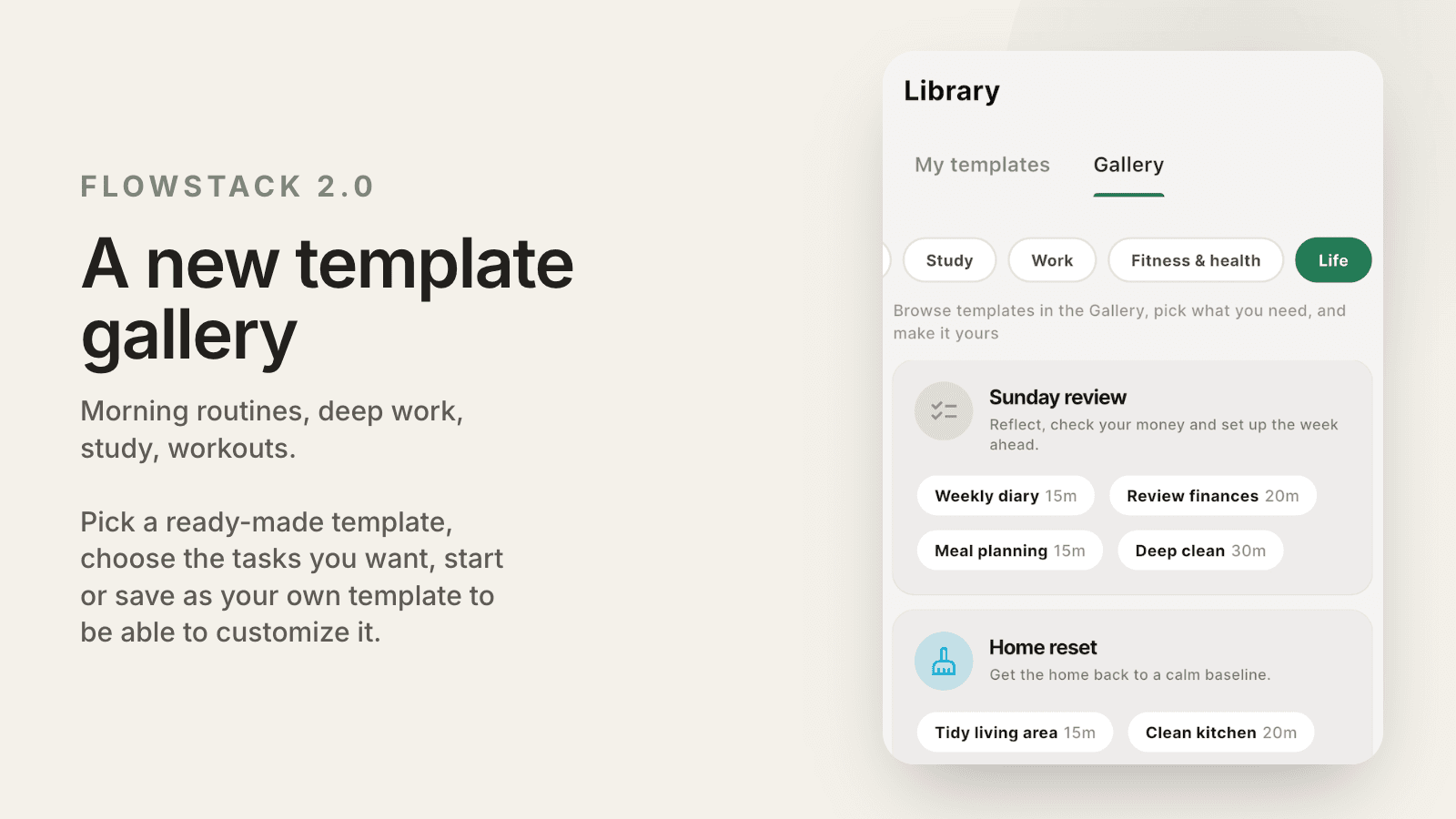
FlowStack 2.0 ships with a bigger gallery of ready-made session templates. Pick a template, choose the tasks you want from the templates, and you have a complete session ready to start —or to save as your own template, to customize it even further.
The templates in the Gallery cover common scenarios: morning routines, deep work blocks, pomodoro session, study sessions, weekly reviews, workout routine, and house cleaning. This helps you understand what you can use FlowStack for.
Richer focus stats
The stats screen has been rebuilt with more detail about how and when you focus.
What's new, free for everyone:
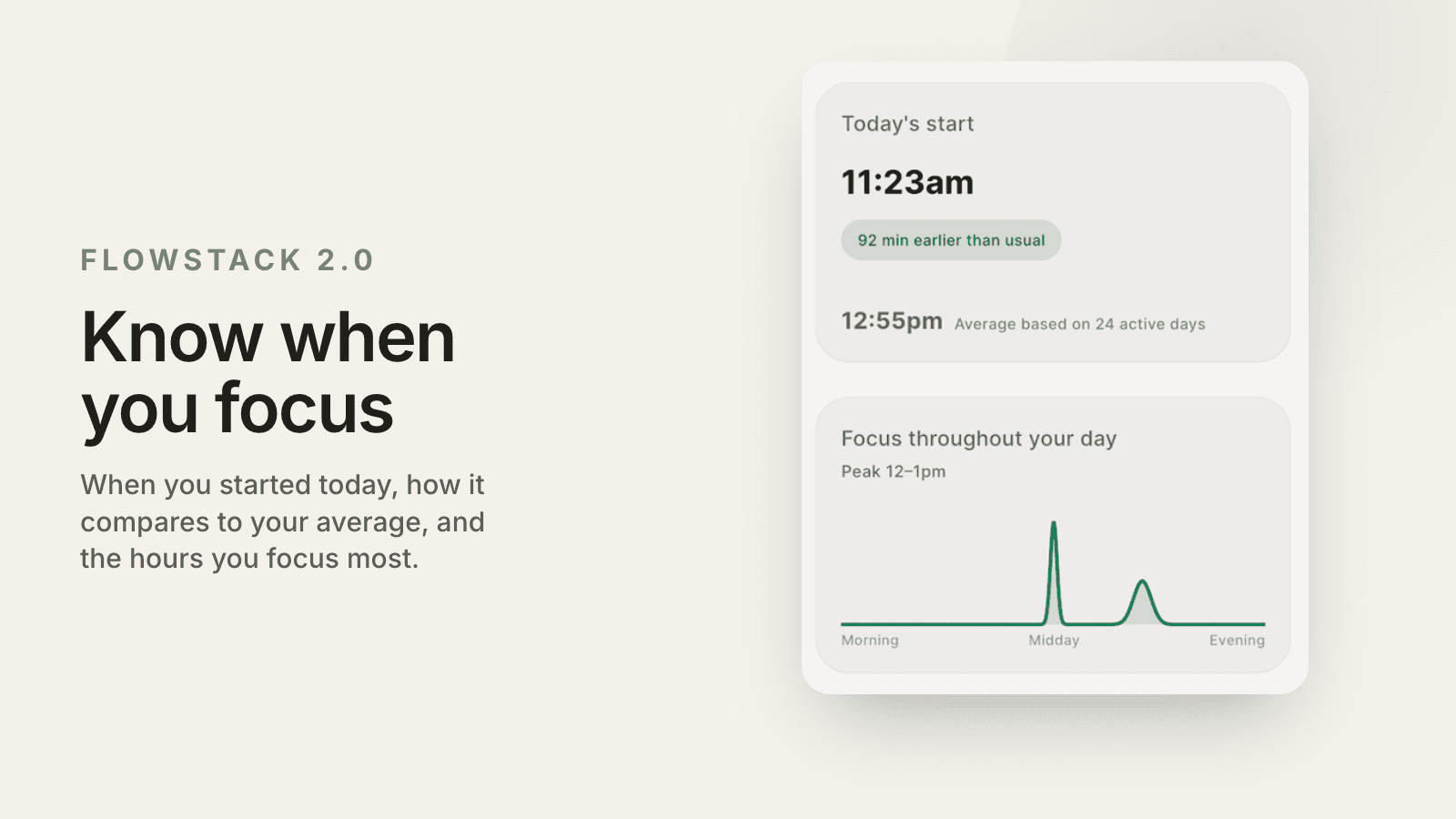
What time you started focusing today
When during the day you focus most, visualized in a graph
7-day focus history, how many hours you focused each day in the last 7 days
Share your daily stats as a transparent/white image, so share as an overlay of a picture on social media
New for Premium users:
30-day focus history
Average start time compared to today's actual start time
The start time data is quietly one of the most interesting additions. Knowing when you tend to start focusing — and seeing how today compares — gives you something concrete to work with, and improve if you want.
See when each task will finish
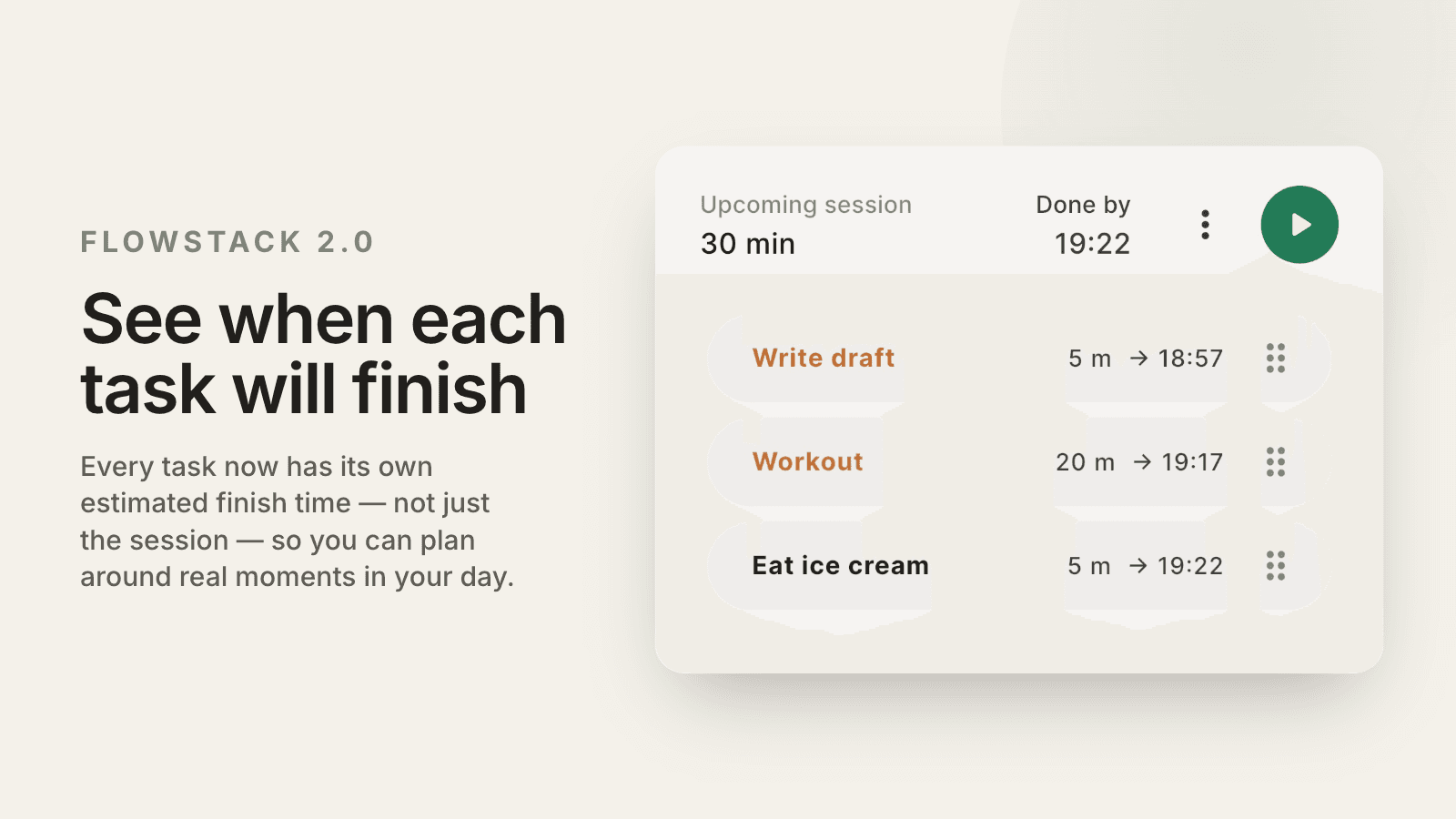
FlowStack now shows the estimated clock time each task in your session is set to finish — not just when the whole session ends. Before 2.0, you could only see the projected finish time for the entire session. Now, for premium users only, every individual task has its own estimated finish time, so you can plan around the real moments in your day. Another one requested by users.
Your upcoming session, right on your home screen
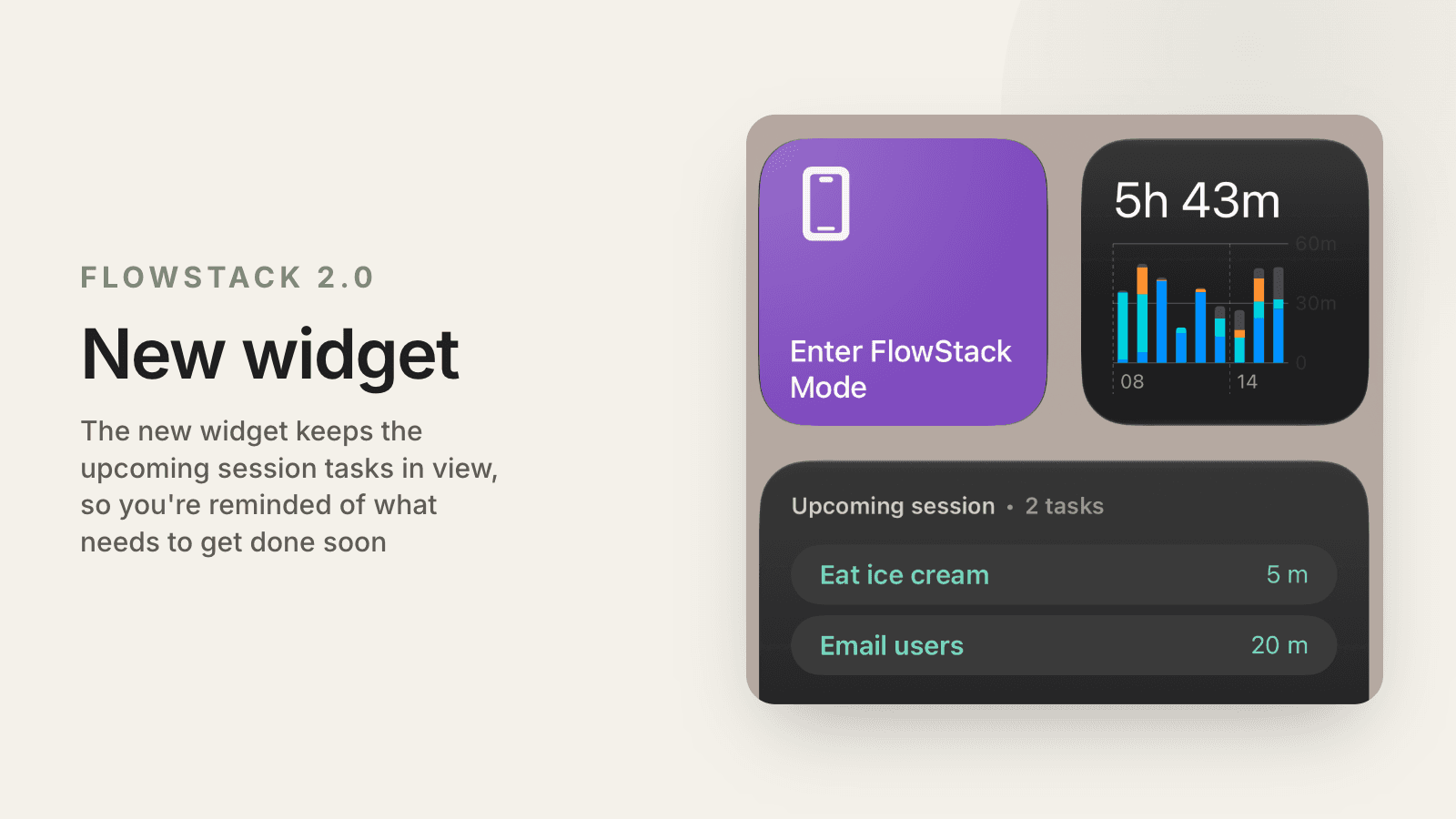
FlowStack 2.0 also includes a new widget for both iPhone and Android. The widget shows the tasks in your upcoming session, so you can see what tasks are ready to take action on.
The widget shows your upcoming session (not the active one). While you’re in an active session, iOS uses Live Activity to show the current task, and Android has a separate widget for the current task.
The upcoming-task widget matters because it keeps your next tasks visible at a glance, so you don’t forget to start them.
And 74 more fixes that make everything feel better
Along with the features above, 2.0 ships 74 smaller fixes. Some of them are invisible — things that were slightly off, slightly slow, or slightly confusing that are now just right.
The cumulative effect is an app that feels noticeably more polished. Transitions are faster. The flow from opening the app to starting a session is shorter. Things work the way you'd expect them to.
To mention even more improvements:
Android timer widget has improved accuracy
iOS Live Activity now shows which task is next, once the current task has ran out of time
New task colors
Start button for the upcoming session is at the top
New screen when time is up, choose between adding more time, entering Flow State or simply being done with the task and moving onto the next one
When adding a new task when you are in the Flow State, you can simply write the task name, and choose if you want to add it to this session or the ‘do later’ section. No need to estimate the time, you are in Flow State and should focus on the current task more ;)
You now need to enter ‘edit session’ mode in order to reorder the tasks. This way you don’t accidentally reorder the tasks while scrolling up and down in the list
You can now skip the next task in a more user-friendly way, once time is up and you’re done with the current task. You can also mark the next task as done, or edit the task.
You now see the completed number of tasks today on your home screen immediately
Easier to create and edit templates in the new design
More explanation into what Flow State is and when to use it. Just press the question mark next to the Flow State during a session
Available now
FlowStack 2.0 is available now on iPhone and Android. If you have the app, update it if not already. If you don't have the app, download it for free here
The core is the same: one task, one timer, no clutter. Version 2.0 just makes that easier to get to — and more useful once you're there.